
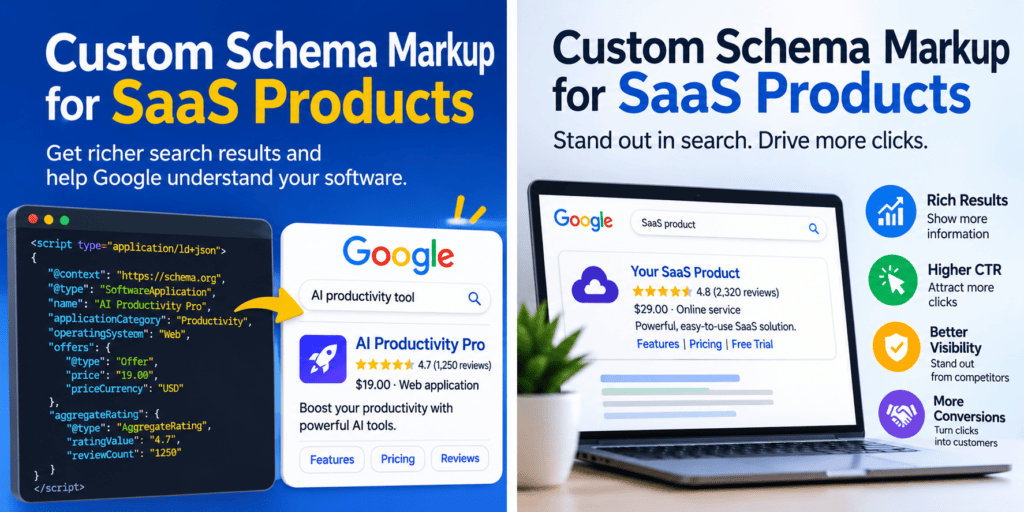
The short version: For a SaaS product, the schema type that matters is SoftwareApplication (or its subtype WebApplication). Google’s documentation requires a name, an offers.price, and either an aggregateRating or a review for the rich result. You write it as JSON-LD; it has to match what visitors can see on the page, and you should test it with Google’s Rich Results Test and the Schema Markup Validator. It will not make you rank higher. And in 2026, it has no proven effect on AI citations.
That’s the answer. The rest of this guide is the code, the traps, and a hard look at the numbers people use to sell schema.
Before you copy any code: how much of the advice online is still true?
I read through the guides currently competing for this topic. Some are good. Several still sell advice that Google ended this year. So before any JSON-LD, here is an audit of the claims you’ll run into.
| Claim you’ll see online | Verdict | Why |
|---|---|---|
| “FAQPage schema gives the highest CTR uplift for SaaS” | Dead | Google stopped showing FAQ rich results on May 7, 2026 (Search Engine Journal). The markup is still valid; it just earns no visible result. |
| “Schema increases AI citations by 30–40%” | Unsupported | The one controlled study I found (Ahrefs, 1,885 pages) found no meaningful lift. Details below. |
| “Rich results lift CTR by 25–82%” | True, but narrow | Real figures, but from consumer sites in Google’s own case studies, undated, and selected as successes. |
| “A mid-market SaaS got a 34% CTR lift in 90 days” | Can’t verify | The case study I found is anonymous. No company name, no data you can check. I won’t repeat it as fact. |
| “Fewer than 5% of SaaS pages use SoftwareApplication schema” | Can’t verify | Attributed to a dataset, with no link to the analysis. |
| “SoftwareApplication schema is how you get into the Apps carousel” | Can’t verify | I found no Google documentation saying this. |
| “Schema is a ranking factor” | False | Google has never said so. It affects appearance (and so clicks), not position. |
Notice the pattern: the most exciting numbers are the least checkable. That’s worth keeping in mind as you read marketing pages about schema, including ones that rank above this one.
What the verified evidence actually says
1. Rich results can lift clicks. The best proof is old and comes from big consumer brands.
Google’s own introduction to structured data lists four case studies. All four are undated on the page, and all four are selected successes, not averages (Google Search Central):
- Rotten Tomatoes: structured data on 100,000 pages, with a 25% higher click-through rate than pages without.
- Nestlé: pages that appeared as rich results had an 82% higher CTR than pages that didn’t.
- Food Network: 80% of pages converted to enable search features, with a 35% increase in visits.
- Rakuten: users spent 1.5x longer on pages with structured data, with a 3.6x higher interaction rate.
Here they are as a chart. Read the labels carefully, because these are different metrics and shouldn’t be compared directly (two are CTR, one is visits, and the comparison groups differ):
Reported lift from Google's own case studies (different metrics!)Nestlé CTR, rich result vs non-rich ████████████████████ +82%Food Network visits ████████▌ +35%Rotten Tomatoes CTR, with vs without markup ██████ +25%Source: Google Search Central, "Introduction to structured data markup"Caveat: undated; chosen by Google to showcase results; consumer sites, not SaaS.What I’d take from this: rich results can move clicks. What I wouldn’t do is promise a client “+25%” for a SaaS product page based on Rotten Tomatoes.
An older study adds some context. A widely cited analysis by Milestone Research looked at 4.5 million queries between 2019 and 2020 and reported a 58% CTR for rich results versus 41% without. I found that figure through a secondary article, not Milestone’s own page, so treat it as medium confidence. It also predates the 2023–2026 removals, so it describes a world with many more rich-result types than today.
2. For AI search, the best test so far found nothing.
If you’ve read that schema helps you get cited by ChatGPT or Google’s AI features, here’s the best counter-evidence.
In May 2026, Ahrefs published a study of 1,885 pages that added JSON-LD between August 2025 and March 2026, compared against roughly 4,000 control pages. Citation changes on Google AI Mode and ChatGPT were statistically indistinguishable from noise, and citations in Google AI Overviews dipped slightly (Search Engine Journal’s summary; original on Ahrefs).
Two honest limits, because this study is not the last word:
- Every page tested already had 100+ AI Overview citations before schema was added. So it tells you schema didn’t boost pages that were already doing well. It doesn’t tell you what schema does for a brand-new SaaS site starting from zero.
- It’s a 30-day window. Effects that take longer wouldn’t show.
The same research found that pages cited by AI were about three times more likely to have schema. Ahrefs reads that as a sign of overall site quality, not a cause. And Google’s own guidance on AI features says you don’t need special schema.org markup to appear in them (Google Search Central).
My conclusion: Add schema for what it demonstrably does (clean machine-readable facts, eligibility for supported rich results). Don’t buy it as an AI-visibility tactic.
3. Google keeps shrinking the menu.
A timeline worth knowing before you plan work around any schema type:
| Date | What changed | Source |
|---|---|---|
| 2023 | FAQ and HowTo rich results restricted | Google Search Central (2023 announcement) |
| June 2025 | Google announced it was retiring seven structured-data features, including Course Info, Claim Review, Estimated Salary, and Vehicle Listing | Google changelog, via secondary reporting |
| Nov 2025 | Practice problem and Dataset types phased out of Search results | Google changelog, via secondary reporting |
| May 7, 2026 | FAQ rich results stopped appearing in Google Search | Search Engine Journal |
| June 2026 | FAQ report and Rich Results Test support removed | same |
Good news for SaaS: SoftwareApplication (“Software app” in Google’s naming) still appears on a third-party summary of Google’s supported-features list as of mid-2026. Google’s own software-app page is the authority, and you should check its “last updated” date before you build (Google Search Central).
Which schema goes on which page?
Don’t put the same markup everywhere. SaaS sites have predictable page types, and each wants something different.
| Page | Use this | Rich result likely? | Notes |
|---|---|---|---|
| Homepage | Organization + WebSite | Not for the product | Gives search engines your name, logo, and official profiles |
| Product/landing page | WebApplication (or SoftwareApplication) | Possible, if you meet the rating requirement | The page that matters most |
| Pricing page | The same app entity, with offers | Possible | Prices must match what’s visible |
| Blog posts | Article | Supported type | Add author and dates |
| Docs/help pages | Usually Article or TechArticle | Rarely | Mostly clarity, not display |
| Feature pages | WebPage Referencing your app entity | No | Helps describe relationships |
| Case study pages | Article; no ratings | No | Don’t mark customer quotes up as your own reviews |
| Support FAQ | Optional FAQPage | No (feature removed) | Harmless if the Q&A is really on the page |
Rule of thumb on types: SoftwareApplication is the umbrella. WebApplication is a subtype for software used in a browser, which is what most SaaS is. Google’s documentation says it supports MobileApplication and WebApplication as well (Google Search Central). Using Product for your core SaaS page is the mistake I’d fix first, because it describes physical or shippable goods and doesn’t carry software-specific properties.
Building the markup, step by step
Step 1: The minimum Google asks for
Google’s documentation requires a name, an offers.price (use 0 for free), and either aggregateRating or review. It recommends applicationCategory and operatingSystem. Here is a minimal, valid block for a web SaaS:
json
<script type="application/ld+json">{ "@context": "https://schema.org", "@type": "WebApplication", "name": "ExampleApp", "applicationCategory": "BusinessApplication", "operatingSystem": "Web", "offers": { "@type": "Offer", "price": "29.00", "priceCurrency": "USD" }, "aggregateRating": { "@type": "AggregateRating", "ratingValue": "4.6", "ratingCount": "210" }}</script>Every number there must be real and visible on the page. More on that in a moment.
If you can’t honestly provide a rating or review, you can still publish the rest. It describes your product clearly. You just won’t meet Google’s requirements for the rich result.
Step 2: Make it yours (the “custom” part)
Minimal markup describes any app. Custom markup describes yours: its features, plans, publisher, and relationships. Here is an extended pattern. The company, plan names, and prices are placeholders:
json
<script type="application/ld+json">{ "@context": "https://schema.org", "@type": "WebApplication", "@id": "https://example.com/product/#app", "name": "ExampleApp", "url": "https://example.com/product/", "description": "Invoice automation for small accounting teams.", "applicationCategory": "BusinessApplication", "operatingSystem": "Web", "inLanguage": "en", "featureList": [ "Automatic invoice capture", "Approval workflows", "Two-way sync with accounting software" ], "screenshot": "https://example.com/img/dashboard.png", "provider": { "@id": "https://example.com/#organization" }, "additionalProperty": [ { "@type": "PropertyValue", "name": "Integrations", "value": "Example Books, Example Ledger" } ], "offers": [ { "@type": "Offer", "name": "Starter", "url": "https://example.com/pricing/#starter", "price": "29.00", "priceCurrency": "USD", "priceSpecification": { "@type": "UnitPriceSpecification", "price": "29.00", "priceCurrency": "USD", "unitCode": "MON" } }, { "@type": "Offer", "name": "Team", "url": "https://example.com/pricing/#team", "price": "79.00", "priceCurrency": "USD", "priceSpecification": { "@type": "UnitPriceSpecification", "price": "79.00", "priceCurrency": "USD", "unitCode": "MON" } } ], "aggregateRating": { "@type": "AggregateRating", "ratingValue": "4.6", "ratingCount": "210" }}</script>A few things worth explaining:
@idGives your app a permanent identity you can reference from other pages and objects, so you define it once.providerpoints at yourOrganizationobject by its@idinstead of duplicating company details.featureList,additionalPropertyandpriceSpecificationare valid schema.org vocabulary, but I have no Google documentation saying Google displays them. Treat them as descriptive data, and don’t expect visible changes.- Confidence note: I wrote the pricing-specification details from my knowledge of the schema.org vocabulary and did not re-verify each property against its definition page. Run it through the Schema Markup Validator before you ship it.
Step 3: Handle pricing models honestly
This is where most guides go quiet. SaaS pricing is rarely a single number.
| Your pricing | What to mark up | What to avoid |
|---|---|---|
| Free plan only | price: 0 | Leaving price out; Google treats price as required |
| Free + paid tiers | An Offer per plan, lowest paid price clearly labeled | Marking the free plan as the product’s only price |
| Per seat | UnitPriceSpecification with a quantity reference, price matching the page | Inventing a “starting at” price not shown on the page |
| Usage-based | A priced unit (for example, per 1,000 API calls) shown on the page | Estimating a monthly total you don’t publish |
| Free trial | A zero price Offer with a visible trial length, labeled as a trial | Presenting a trial as a permanent free price |
| “Contact sales” only | Describe the app and omit offers.price | Making up a price to qualify for the rich result |
That last row matters. If you don’t publish a price, Google’s requirement of offers.price means you probably won’t be eligible for the software-app rich result. That’s the correct trade-off. A fabricated price on a page that shows none is the exact thing Google’s guidelines warn about: markup has to reflect content visitors can actually see (Google Search Central guidelines).
Step 4: Ratings, the part that can get you in trouble
Ratings are what make the rich result attractive, so they’re where people cut corners.
What I could verify:
- Google’s 2019 announcement defined “self-serving” reviews as ones about an entity placed on that same entity’s own website, and stopped showing them for
LocalBusinessandOrganizationtypes (Google Search Central blog). Google also said that on its own this wouldn’t trigger a manual action. SoftwareApplicationappeared on the list of types eligible for review snippets in that announcement.- Google’s structured data guidelines tell you not to mark up content that visitors can’t see, and not to mark up fake or misleading reviews.
What I’d do, and why:
- Put the rating on the product entity, not the Organization. Marking up a star rating for your company on your own homepage is the shape Google’s 2019 change targeted.
- Only mark up ratings you collected from users of your own product, and display them on the same page. The review-snippet guidelines are commonly summarized as requiring this (medium confidence; I saw it quoted, not on Google’s page itself). Confirm in the current review-snippet documentation before you rely on it.
- Don’t copy your G2 or Capterra score into
aggregateRating. Showing the badge is fine. Marking it up as if you collected it is the risky part. - No visible reviews? No rating markup. A 4.9 in JSON-LD with nothing on the page behind it is what you’re trying not to be.
Don’t let your markup drift out of date
The silent failure mode for SaaS is not a syntax error. It’s drift: you change your pricing page and forget the JSON-LD still says the old price.
The fix is boring and effective: generate the markup from the same data that renders the page. If your plans live in a config file or CMS, build the JSON-LD from it:
js
// One source of truth for plansconst plans = [ { name: "Starter", price: "29.00", url: "/pricing/#starter" }, { name: "Team", price: "79.00", url: "/pricing/#team" }];const jsonLd = { "@context": "https://schema.org", "@type": "WebApplication", "name": "ExampleApp", "applicationCategory": "BusinessApplication", "operatingSystem": "Web", "offers": plans.map(p => ({ "@type": "Offer", "name": p.name, "price": p.price, "priceCurrency": "USD", "url": "https://example.com" + p.url }))};// Escape "<" so content can never close the script tag earlyconst safe = JSON.stringify(jsonLd).replace(/</g, "\\u003c");// Render: <script type="application/ld+json">{safe}</script>Render it on the server, if you can
Google’s documentation says it can read JSON-LD that JavaScript injects into the page (Google Search Central). So a tag-manager deployment will usually work for Google.
Ahrefs has reported that major AI crawlers don’t execute JavaScript. I haven’t tested that, so it’s their claim, not fact. It points to a practical check anyway: view the raw page source (not “inspect element”) and search for application/ld+json. If it isn’t in the raw HTML, it’s being injected. That’s fine as a stopgap. For something you want every consumer of your page to read, server-rendered is the safer default.
Test it in three steps
They answer three different questions, and skipping one is how broken markup survives.
| Stage | Tool | Question it answers |
|---|---|---|
| 1. Valid syntax? | Schema Markup Validator | Is this legal schema.org? |
| 2. Eligible for Google? | Rich Results Test | Does Google see a supported rich result? |
| 3. Working live? | Search Console (rich result and enhancement reports) | Is Google finding it across the real site? |
Passing stage 2 doesn’t promise a rich result. Google says outright that it doesn’t guarantee features will appear.
How to measure whether it did anything
I found no verified SaaS case study with a published method. So here is a design you can run yourself, with its limits stated:
- Pick a group of similar pages that get impressions, and mark up only some of them. The rest are your control group.
- Record CTR and impressions for 28 days before and 28 days after for both groups in Search Console.
- Compare the change in the marked-up group against the change in the control group. Don’t compare raw CTR before and after for one group, because seasonality and ranking shifts will fool you.
- Treat a small SaaS sample skeptically. A few dozen pages can move a lot by chance.
If a rich result never appears in the results for your page, that’s also a finding. Report it. It’s the honest counterweight to the “+30% CTR” claims.
Mistakes I’d bet are on your site right now
Producton the core SaaS page instead ofWebApplicationorSoftwareApplication.- A rating in the markup that isn’t visible on the page.
- Prices that changed on the page but not in the JSON-LD.
aggregateRatingOn the homepage Organization.- Markup injected by a tag manager that nobody has checked in raw HTML.
- Several plugins outputting overlapping schema, producing duplicate or conflicting objects.
- Still maintaining FAQPage markup for rich results that no longer exist.
- A
contact salesproduct with an invented price added to qualify. - Never revalidating after a template change.
- Treating “valid” as “working.”
FAQ
What schema type should a SaaS product use?
SoftwareApplication, or its subtype WebApplication for browser-based products. Google’s documentation names WebApplication and MobileApplication as supported alongside SoftwareApplication. Avoid Product for the core software page.
Does schema markup improve SaaS rankings?
No evidence says it does, and Google hasn’t claimed it. It affects how a result can look, which can affect clicks, not position.
Does schema help with AI search visibility?
Not in the best controlled test available. Ahrefs found no meaningful citation lift across 1,885 pages, with the caveat that those pages were already well cited. Google says no special schema.org markup is needed for its AI features.
Is FAQ schema still worth adding?
Not for rich results. Google stopped showing them on May 7, 2026. The markup remains valid and harmless if the questions and answers are genuinely on the page.
What if my pricing is “contact sales”?
Describe the app, and don’t invent a price. You likely won’t qualify for the software-app rich result, but accurate markup beats a fabricated one.
Can I use my G2 or Capterra rating?
Display it, but be careful about marking it up as your own aggregate rating. Guidelines are commonly summarized as requiring ratings to come directly from your own users. Check the current review-snippet documentation.
How long until I see results?
I have no verified timeline for SaaS. Google can take days to weeks to recrawl pages. Use the before/after test above and judge by your own data.
The bottom line
Custom schema markup for a SaaS is small, cheap work that does one thing well: it tells machines clearly what your product is, what it costs, and who makes it, in a form you can validate. That’s worth doing once, properly, and generating from your real pricing data so it never goes stale.
What it isn’t is a growth hack. The sparkling numbers (+30% CTR, +40% AI visibility) mostly come from sources you can’t check, or from brands that aren’t SaaS companies. The numbers that are checkable are older, narrower, or point the other way.
So: mark up what’s true and visible, test it in three stages, measure it against a control group, and trust your own Search Console over anyone’s headline.
Sources and confidence ledger
| Source | What I used it for | Confidence |
|---|---|---|
| Google: Software app structured data | Required and recommended properties, supported subtypes | High (primary; check its last-updated date) |
| Google: Intro to structured data | Four case studies; JS-injected JSON-LD statement | High (primary) |
| Google: Structured data guidelines | Visible-content and misleading-markup rules | High (primary) |
| Google: AI features and your website | No special schema needed for AI features | High (primary) |
| Google: Making review rich results more helpful (2019) | Self-serving review definition; type list | High (primary), but 2019 |
| Search Engine Journal: Google drops FAQ rich results | FAQ removal dates | Medium-high (reputable secondary quoting Google) |
| Search Engine Journal: Ahrefs schema test and Ahrefs | 1,885-page study | Medium-high (I read secondary summaries; the Ahrefs URL came from a search snippet) |
| Milestone Research (via secondary article) | 58% vs 41% CTR | Medium (secondary only; pre-removal era) |
| Third-party summary of Google’s 25 supported features | Software app still listed mid-2026 | Medium (verify on Google’s own page) |
| Ahrefs claim on AI crawlers and JavaScript | Server-rendering advice | Low-medium (reported, untested by me) |
schema.org vocabulary for pricing and additionalProperty | Extended example | Medium (from knowledge; validate before shipping) |
What I corrected while researching
- “Self-serving reviews are banned” was too broad. Google’s 2019 post applies that restriction to
LocalBusinessandSoftwareApplicationstayed on the eligible list. I narrowed the guidance to match. - FAQPage as a SaaS CTR tactic appeared in several top-ranking guides. I dropped it because the feature ended on May 7, 2026.
- Unverifiable “case studies” (anonymous companies, uncited statistics) were excluded rather than softened.
What I could not verify, and did not guess
- A named, SaaS-specific case study with published before/after numbers.
- How often the software-app rich result actually displays for web-based SaaS pages.
- Whether Search Console currently offers a dedicated software-app report for your property.
- Any Google statement that
SoftwareApplicationschema qualifies you for an apps carousel.