
Free Schema Markup Tools SEO Experts Use — What Top Performers Do Differently
TL;DR — 4 things worth knowing immediately
- Most free generators solve only 20% of the schema problem. The real work is validation, monitoring, and type selection — none of which generators do.
- Google’s Rich Results Test and Schema.org Validator catch different classes of error. You need both, run in sequence.
- Google deprecated FAQ and How-To rich results for most sites in 2024–2025. If you’re still building strategy around those types, you’re optimizing for something that no longer fires.
- The 80% solution costs nothing: Backlinko generator + Google Rich Results Test + Schema.org Validator + GSC Enhancements report = a complete free loop.
Should you even do this?
Schema markup investment decision
✓ Proceed if you have
- A product, recipe, event, or review page that competes in a commercial SERP
- A local business that needs map pack and Knowledge Panel presence
- An article that targets featured snippet positions
- Measurable click-through rates you’re trying to move
- A site with consistent, accurate, visible information to mark up
✗ Deprioritize if you
- Have no eligible rich result types (thin content, no structured data opportunity)
- Haven’t fixed critical crawl or indexing issues first
- Are adding schema to hidden content or data not on the page
- Are relying on deprecated types (FAQ for non-health/government sites, HowTo)
- Have no monitoring in place — schema without tracking is guesswork
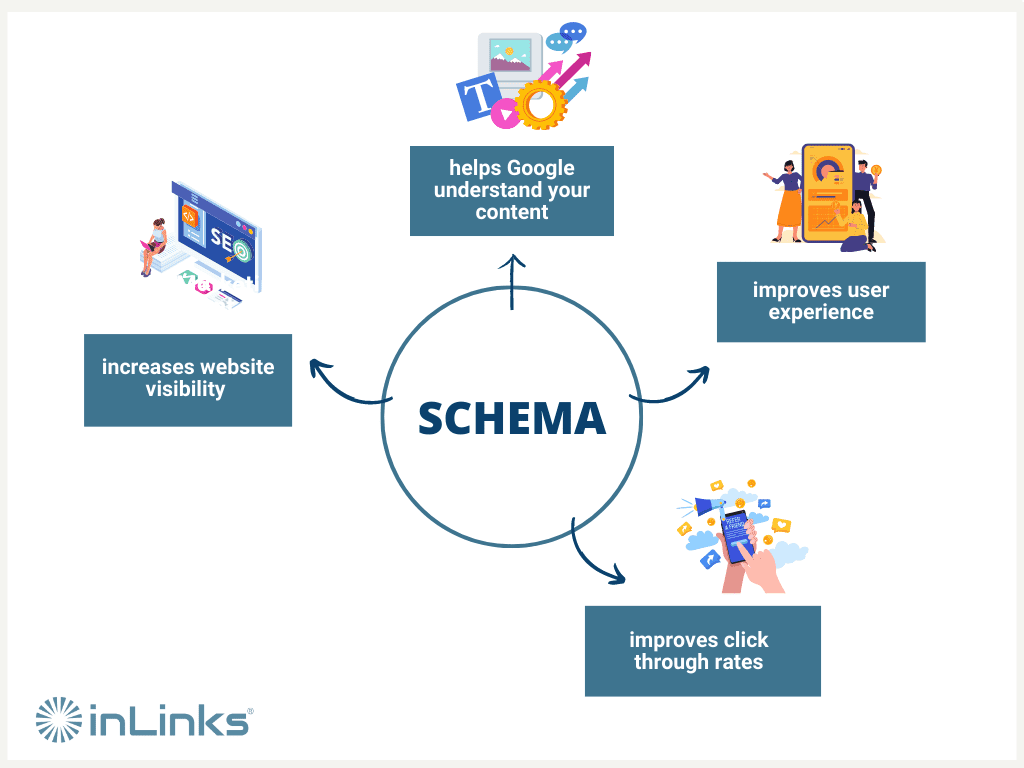
Schema markup is not a ranking factor in the direct, algorithmic sense — Google has confirmed this repeatedly. What it does do is change how your result looks in the SERP, which changes how users interact with it. The CTR uplift from rich results is real and well-documented; the ranking signal from schema itself is not.
What most articles on this topic miss
Search “free schema markup tools” and you’ll find list posts with 10–15 tools, each with a screenshot and a feature bullet. That format misses the actual problem.
The real gap isn’t generating schema — that part is genuinely easy. Most generators produce valid JSON-LD in under two minutes. The gap is in four other places:
- Type selection — choosing the wrong schema type is the single most common mistake. A BlogPosting marked as Article on a product page, or an FAQPage on a site that no longer qualifies for FAQ rich results, wastes implementation time and creates noise in your structured data report.
- Validation against two different standards — schema.org compliance and Google rich-result eligibility are not the same check. Many implementations pass one and fail the other.
- Schema drift over time — a page you marked up six months ago may have changed content, prices, or availability. Unmonitored schema that no longer matches visible content is a guideline violation, not just technical debt.
- The deprecation calendar — Google dropped FAQ rich results for most sites and removed How-To, Course Carousel, Estimated Salary, Q&A, and Claim Review features in 2024–2025. A substantial portion of schema guides published before mid-2024 recommend types that no longer produce rich results for most websites.
“From our guidelines we want to make sure that the structured data you have on your page matches the primary element on your page.” — John Mueller, Google
This section exists because this article intends to give you a different cut than the standard list. What follows is tool-by-tool decision logic, not a ranking table.
The generators worth using (and what each one is actually for)
The short version: most free generators are interchangeable for standard types. What differentiates them is schema type coverage, output quality, and whether they help you understand what you’re generating or just hand you code to paste.
Use if
- You need to validate JSON-LD before it goes live
- You’re iterating on a complex nested @graph structure
- You want to test JavaScript-rendered schema against Google’s actual rendering engine
- You need to verify rich result eligibility — not just schema validity
Avoid if
- You need to check schema types Google doesn’t support (use Schema.org Validator instead)
- You’re trying to audit an entire site — it’s a single-URL tool
Use if
- You want schema.org standard compliance beyond Google’s supported types
- You’re implementing less common types (SoftwareApplication, Dataset, HealthAspectEnumeration)
- You want to catch structural issues the Rich Results Test might miss
- You’re building schema for AI citation readiness beyond Google
Avoid if
- Your only goal is Google rich result eligibility — use the Rich Results Test first
- You treat it as your only validator — it doesn’t catch Google-specific eligibility requirements
Use if
- You need clean JSON-LD fast for the 15 most common schema types
- You’re a non-developer who needs output to paste and validate
- You want fields pre-aligned to Google’s rich result requirements
Avoid if
- You need types beyond the 15 supported (Product variants, Service, SoftwareApp)
- You’re producing schema at scale — it’s a one-page-at-a-time tool
Use if
- You’re on WordPress and want schema generated automatically from page metadata
- You want flexible control over schema type per post type
- You’re managing a content-heavy site where manual generation isn’t scalable
Avoid if
- You need granular @graph architecture or sitewide entity definitions — that’s the Pro tier or Schema App territory
- You’re on a non-WordPress CMS
Use if
- You need to audit schema coverage across a site rather than a single URL
- You want to identify pages missing schema entirely
- You’re doing a structured data QA pass before a site migration
Avoid if
- Your site exceeds 500 URLs and you can’t upgrade — you’ll get an incomplete picture
- You’re validating individual schema quality rather than presence/coverage
Validation is the step that matters most
This is where the majority of published guides either stop too early or conflate two different checks into one. Understanding the distinction is what separates competent schema implementation from effective schema implementation.
Schema validity and rich result eligibility are separate questions answered by separate tools. A schema can pass one and fail the other.
| Question | Tool | What it catches |
|---|---|---|
| “Is my markup structurally correct?” | Schema.org Validator | Missing required properties, wrong value types (date format, URL format), unrecognized types, structural issues |
| “Will Google show a rich result?” | Rich Results Test | Google-specific required fields, content/markup mismatch, eligible vs. ineligible type detection |
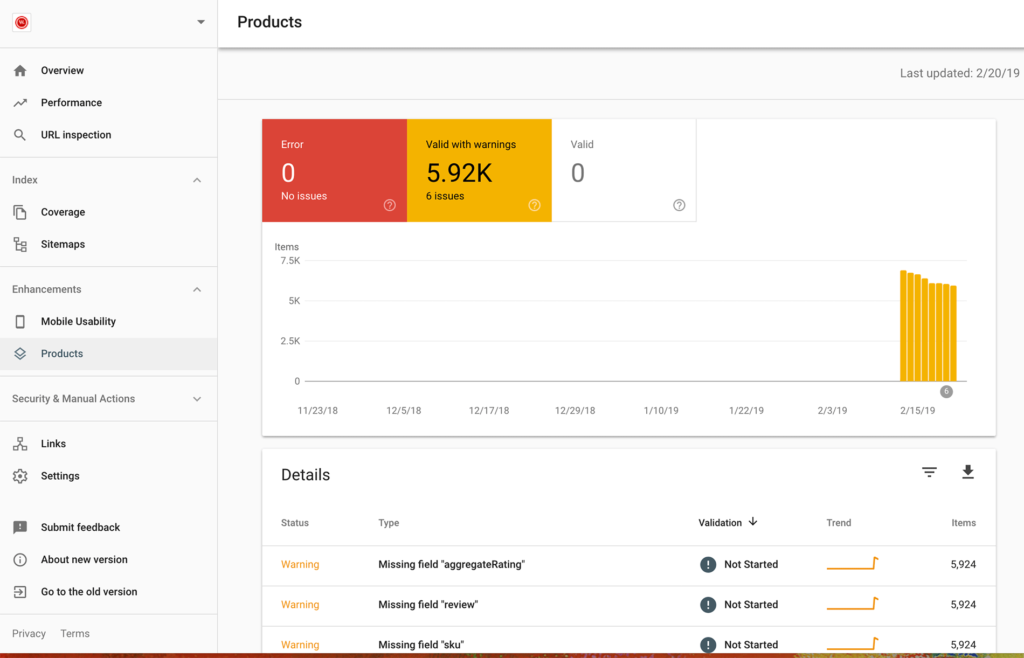
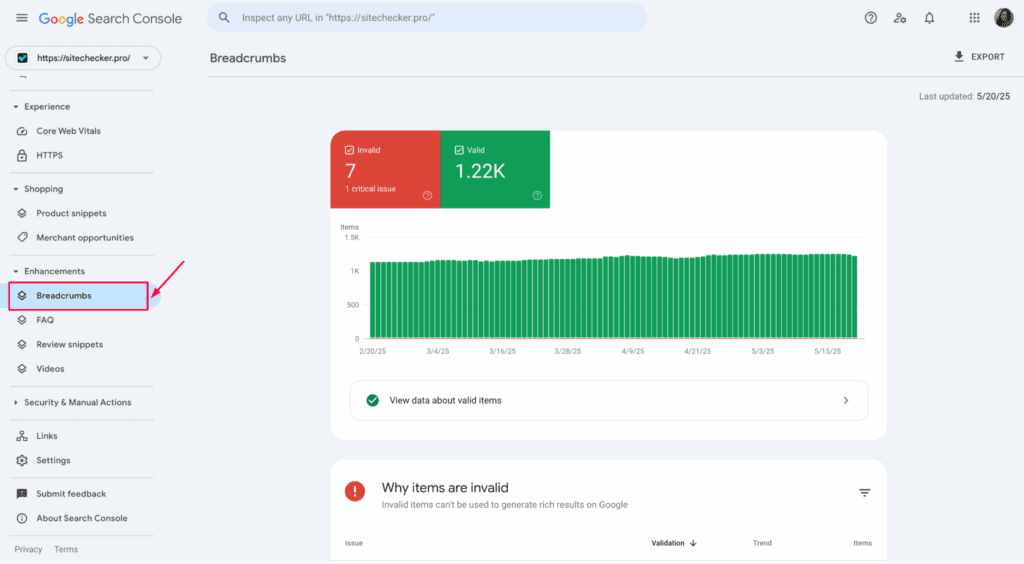
| “Is it actually showing in search?” | Google Search Console → Enhancements | Real-world rich result impressions, click data, crawl-time errors you didn’t see in testing |
The practical rule many SEOs have converged on: if schema validates in both the Rich Results Test and the Schema.org Validator, it’s in strong shape for Google and for AI systems like Perplexity and ChatGPT that use schema.org as a data source. That dual validation step is the closest thing to a “passed” status you can get without live GSC data.
How this actually works together: the full free workflow
This is the integration layer that most tool lists skip entirely. Each tool serves a distinct function; the value comes from running them in sequence, not in isolation.
The goal isn’t to “add schema.” The goal is a validation and monitoring loop that catches errors before Google does — and keeps schema accurate as content changes.Match the type to the page’s primary element — not to what you want to rank for. A blog post covering product comparisons is an Article, not a Product. Check the current Google rich results eligibility list before selecting. (Integration type: manual decision point)
Use Backlinko’s generator for common types (Article, LocalBusiness, Product, Recipe, Event, Person). For WordPress: use Rank Math’s schema module with post-type rules set. Output: a raw JSON-LD block. (Integration type: semi-automated for CMS, manual for static)
Paste the JSON-LD block into validator.schema.org. Fix any red errors. Yellow warnings are judgment calls — fix if they’re for required properties, skip if they’re for optional recommended fields you genuinely can’t populate. (Integration type: manual)
Use code snippet mode with the corrected JSON-LD before touching production. This catches Google-specific required fields and tells you which rich result features the markup qualifies for. Common failure: missing headline on Article type, malformed datePublished (needs ISO 8601 with timezone). (Integration type: manual)
Add the validated JSON-LD to the <head> or <body> of the page. JSON-LD can go anywhere in the document — Google processes it regardless of position. Avoid Microdata and RDFa unless your CMS forces one of them; they’re harder to maintain and more error-prone at scale. (Integration type: native for CMS plugins, manual for static HTML)
After deployment, re-run the Rich Results Test using the live URL rather than code snippet mode. This runs Google’s Web Rendering Service, which catches JavaScript-rendering issues that code snippet mode cannot detect. (Integration type: manual — build into your post-publish checklist)
GSC’s Enhancements tab shows rich result impressions, clicks, and structured data errors broken out by type. Rich results typically appear in GSC data within 1–4 weeks of indexing. This is your ongoing monitoring layer — not a one-time check. Set a calendar reminder to review monthly. (Integration type: native — GSC populates automatically once Googlebot crawls)
Run a Screaming Frog crawl quarterly with structured data extraction enabled. Identify pages missing schema, pages with schema that no longer matches live content (price changes, date changes, review count drift), and pages still running deprecated types. (Integration type: manual — export the structured data report and cross-reference with GSC Enhancements)
The 80% solution stack
This combination handles the overwhelming majority of schema work for content sites, local businesses, e-commerce, and blogs — entirely free.
| Tool | Purpose in the stack | When to use it |
|---|---|---|
| Backlinko Generator | Generate clean JSON-LD for the 15 most common types | Every new schema implementation |
| Schema.org Validator | Layer 1 structural validation — standard compliance | Pre-deploy, always after generating |
| Google Rich Results Test | Layer 2 — Google eligibility; Layer 3 — live URL JS rendering | Pre-deploy (code snippet) + post-deploy (live URL) |
| Google Search Console Enhancements | Live monitoring — impressions, errors, coverage | Ongoing, monthly review minimum |
| Screaming Frog (free ≤500 URLs) | Site-level structured data audit and drift detection | Quarterly, or before/after major content changes |
| Rank Math (WordPress only) | Automated schema generation by post type — replaces manual generation at scale | Replace Backlinko generator if you’re on WordPress |
The gap between this stack and paid enterprise tools (Schema App, seoClarity) is primarily in automated monitoring, @graph entity architecture at scale, and multi-client management. For a single site or small agency portfolio, this free stack is functionally complete.
Type selection: the decision most people get wrong
Choosing the wrong schema type is almost always more damaging than having no schema at all — it creates a content/markup mismatch that can trigger a manual review, and it occupies implementation time that could go toward eligible types.
| Page type | Primary schema type | Supported rich result? | High-value add-on types |
|---|---|---|---|
| Blog post / article | Article or BlogPosting | No dedicated rich result, but boosts AI/entity signals | BreadcrumbList, Person (author), Organization |
| Product page (e-commerce) | Product | ✓ Yes — price, availability, stars in SERP | Offer, AggregateRating, Review, BreadcrumbList |
| Local business homepage | LocalBusiness (or subtype) | ✓ Yes — Knowledge Panel, local pack, Maps | PostalAddress, OpeningHoursSpecification, GeoCoordinates |
| Recipe page | Recipe | ✓ Yes — recipe carousel, nutrition, ratings | AggregateRating, NutritionInformation |
| Event page | Event | ✓ Yes — event carousel above organic results | Place, Offer, Performer |
| Video page | VideoObject | ✓ Yes — video carousel, key moments | Clip, SeekToAction |
| Job posting | JobPosting | ✓ Yes — job listing rich result | Organization, Place, MonetaryAmount |
| FAQ page (most sites) | FAQPage | ✗ No — deprecated for most sites since 2024 | N/A — only health/government sites qualify |
| Homepage / about page | Organization or WebSite | Partial — sitelinks searchbox, Knowledge Panel | SameAs (social profiles), ContactPoint |
A note on Google’s stated guidance: John Mueller’s instruction — “structured data on your page matches the primary element on your page” — is the controlling rule. A page that is primarily an article about a local business should use Article schema, not LocalBusiness schema. Reverse only if the page’s primary purpose is as a business information page.
For most content sites, the highest-ROI implementation order is: Organization (sitewide entity definition) → BreadcrumbList (every page) → Article/BlogPosting (every post) → then page-specific types (Product, Recipe, Event) where applicable.
Schema in the AI Overviews era
This is the part most 2023-era guides don’t cover, and where the strategic picture has shifted most significantly.
Google and Microsoft both stated in spring 2025 that structured data is treated as a priority signal for their generative AI features because it is — in their words — “efficient, precise, and easy for machines to process.” AI Overviews had expanded to appear on roughly 13% of US desktop queries by early 2025, a number that has continued to grow.
The practical implication: schema is no longer just a rich result play. It’s an entity definition and machine-readability layer that determines whether your content is citable by AI systems operating across search, voice, and LLM-powered features.
The shift from rich-result-focused to AI-ready schema involves adding entity definition types alongside page-specific markup.
| Traditional focus | AI-readiness additions |
|---|---|
| Page-level types (Article, Product, Recipe) | Organization schema with sameAs links to social profiles and Wikidata |
| Required properties only | Recommended and optional properties populated where data exists |
| Single schema type per page | Nested @graph with @id cross-references across entity types |
| Google Rich Results Test passing | Schema.org Validator and Rich Results Test both passing |
| Schema as a one-time implementation | Schema as a living data layer, monitored for drift and updated with content |
A real-world data point worth noting: a UK-based golf clothing brand launched in late 2025 with zero backlinks and no historical traffic, but with a complete structured data layer from day one — Organization, Product, BlogPosting, BreadcrumbList, and FAQPage (on eligible pages). By March 2026, the site had accumulated 668,000 impressions and 6,795 clicks at an average position of 4.5, with AI Overview citations appearing across target queries. This is schema doing the entity-definition work that traditionally required years of link acquisition to signal authority.
Honest limitations — what free tools don’t solve
This is the section that most tool-list articles skip because it reduces apparent tool value. It’s the most useful part of this article if you’re trying to allocate effort accurately.
- Scale. Every free tool except Rank Math (and Screaming Frog up to its 500-URL limit) is a single-URL implementation. A 10,000-page e-commerce site cannot be adequately managed with form-based generators. At that scale, you need either a CMS plugin, a tag manager implementation, or a dedicated platform.
- Automated monitoring. GSC’s Enhancements tab shows errors after Googlebot finds them — not before. There’s no free tool that proactively alerts you when schema drifts out of sync with page content. Paid tools (Schema App, Semrush’s Site Audit) fill this gap; the free equivalent is a manual Screaming Frog audit on a schedule.
- @graph architecture. Interconnected entity definitions using @id cross-references — the approach that produces the strongest Knowledge Graph signals — is complex to build manually and nearly impossible to maintain without tooling. Free generators produce flat, standalone schema objects. The connected entity graph is a paid-tier feature in most platforms.
- Rich result eligibility is not guaranteed. Correct schema is necessary but not sufficient. Google determines eligibility based on content quality, E-E-A-T signals, and schema type restrictions. A site with thin content and weak authority signals will not earn rich results even with flawless schema. The schema is the packaging; the content quality is what’s inside it.
- Validation passing ≠ rich result appearing. The Rich Results Test tells you whether your markup is eligible for a rich result. Whether Google actually shows one in the SERP depends on query type, competition, and Google’s real-time rendering decisions — factors no tool controls.
FAQ
Does schema markup directly improve Google rankings?
No — Google has confirmed that structured data is not a direct ranking factor in the algorithmic sense that backlinks or content relevance are. What schema does is change how your result appears in the SERP (enabling rich results), which changes click-through behavior. Higher CTR from a more visually prominent result is a positive user engagement signal, and schema also helps Google understand entity relationships and topical authority — both of which have indirect effects on ranking outcomes. The practical conclusion: schema improves SEO results even though it is not itself a ranking signal.
Which schema format should I use — JSON-LD, Microdata, or RDFa?
JSON-LD, without question, for new implementations. Google recommends it explicitly, it keeps structured data separate from your HTML (easier to maintain and update), and it’s the only format that works cleanly in all contexts including CMS environments and JavaScript-rendered pages. Microdata and RDFa are technically supported but are harder to audit, more error-prone, and increasingly ignored by Google’s documentation. The only reason to use Microdata or RDFa today is if your CMS generates them automatically and you don’t have the access to change the output.
Can I still use FAQPage schema even though Google deprecated the rich result?
You can implement it, and it will validate cleanly in both validators. But it won’t produce a rich result in Google Search for most websites — only government and health sites remain eligible as of mid-2025. The schema may still contribute to entity understanding and AI citation signals, but it’s not worth prioritizing over eligible types. If you have existing FAQPage schema implemented, there’s no urgency to remove it; Google will simply ignore it for rich result purposes. If you’re building new implementations, put that time toward types that still produce visible SERP features.
How long does it take for rich results to appear after implementing schema?
Rich results typically appear in Google Search Console’s Enhancements report within one to four weeks of Googlebot crawling the page with the new schema. CTR improvements, if the rich result is awarded, are often measurable within two weeks of the rich result appearing. The variability depends on crawl frequency — high-authority, frequently updated pages get crawled faster. For new pages on newer sites, the timeline extends.
Do I need to add schema to every page on my site?
Organization and BreadcrumbList schema are reasonable candidates for sitewide implementation because they provide entity context and structural signals that benefit all pages. Beyond those two, schema should be implemented on pages where there’s a genuine eligible rich result opportunity — product pages, recipe pages, event pages, local business information pages. Implementing Article schema on every blog post is worthwhile for AI citation signals even without a dedicated rich result. Thin content pages, tag pages, and paginated archives gain little from schema and shouldn’t be prioritized.
Final thoughts
The free tools covered here are genuinely good. The Backlinko generator produces clean output. Google’s Rich Results Test is authoritative. Schema.org Validator covers what Google’s tool misses. Screaming Frog does real site-level work within its URL limit. This is a capable stack.
But the uncomfortable reality is that most schema implementations fail not because of tool limitations, but because the workflow is treated as a one-time task. Schema implemented once, never validated after content changes, never monitored in GSC, never audited for deprecated types — that’s the norm, not the exception. It’s also how schema goes from a competitive advantage to technical debt.
The hard truth
Schema markup rewards the minority of teams who treat it as a living data layer — maintained, monitored, and updated as content changes — over the majority who treat it as a one-time implementation box to check. The free tools exist to support either approach. The discipline to use them on a schedule is the actual differentiator between sites that consistently hold rich results and those that briefly had them, then lost them without noticing.
The question to ask yourself after implementing schema isn’t “did it validate?” It’s “do I have a system to keep it accurate six months from now?” That system, built entirely from free tools, is what separates the top performers from the middle of the pack.
Sources
Related articles
Pricing and tool availability last verified: May 2026. Free tier limits and feature availability subject to change.
Generative Engine Optimization Is Built on a Stat That Just Broke
Perplexity SEO 2026: The Brutal Truth About Getting Cited (And Why 90% of Brands Fail)
Privacy Policy
Best Schema Markup Generators in 2026: Tested, Verified, Ranked
Best Schema Markup Generators for SEO(Free & Paid Tools)
Schema Markup Generators: The Complete Guide to AI-Ready Structured Data
How to Generate Schema Markup Without Coding: Best Guide!
Best JSON-LD Schema Markup Generators (2025–2026): Compared, Ranked & Reviewed
Is the Google Indexing API Free? 2026 Pricing, Quota Limits & Hidden Costs Explained
Schema Markup Secrets That Skyrocket Click-Through Rates
How to Add Schema Markup to Your Website Easily(Step-by-Step Guide)
Why Schema Markup Is a Must-Have for Modern SEO Strategies
Schema Tools That Actually Automate Your SEO — For Bloggers and Businesses
How Schema Markup Gets You Rich Snippets (and More Clicks)
How to Create Perfect Structured Data for Google
Schema Markup Mistakes That Hurt SEO Rankings — And How to Fix Every One