
Technical SEO · Structured Data · 2026 Guide
Schema Markup Generators: The Complete Guide to AI-Ready Structured Data
Most guides hand you a list of tools and call it a day. This one tells you which tool to pick, when to skip the generator entirely, and why your current schema strategy may already be partially obsolete after Google’s March 2026 core update.
TL;DR — Skip to what you need
- Use Merkle’s generator for fast, free, one-off JSON-LD on common schema types.
- Use Rank Math or AIOSEO if you’re on WordPress and need site-wide automation.
- Use Schema App if you’re running an enterprise site that needs knowledge graph–level entity control.
- After Google’s March 2026 update, FAQ and How-To rich results dropped significantly for non-primary content — revisit your assumptions.
- The generators are just the start. Validation + monitoring is where most teams fail.
Should You Even Add Schema Markup?
Schema markup is not a magic ranking lever. Google is explicit that structured data is not a direct ranking factor. What it unlocks is different: rich result eligibility, entity recognition in the Knowledge Graph, and — increasingly — citation probability in AI Overviews, ChatGPT, Perplexity, and Gemini answers. These downstream effects compound. Higher click-through rates from visually enhanced listings signal content relevance. Entity verification makes your brand more likely to appear in AI-synthesized answers. That is worth doing — if and only if your content type qualifies.
Why Schema Matters More Than Ever in 2026
Something shifted in spring 2025 that most SEO content still hasn’t caught up to. Both Google and Microsoft publicly confirmed that structured data powers their generative AI features — not just visual enhancements in traditional results. Gemini uses schema to verify claims and assess source credibility. ChatGPT confirmed it uses structured data to surface products. Perplexity cites structured sources preferentially.
In other words: schema is no longer primarily about getting a star rating in a blue link. It is now part of the infrastructure that determines whether your content gets read by an AI before it writes its answer — or gets skipped entirely. A September 2025 Search Engine Land controlled experiment put three near-identical pages head to head. The only variable was schema. Only the page with well-implemented JSON-LD appeared in a Google AI Overview. The page with no schema wasn’t even indexed.
JSON-LD, Microdata, RDFa: The Format Question Settled
All three formats are technically supported by schema.org and parse correctly by Google. But the practical differences in 2026 make the choice straightforward:
| Factor | JSON-LD | Microdata | RDFa |
|---|---|---|---|
| Google’s stated preference | Preferred | Supported | Supported |
| Render-blocking on page load | No | Potential | Potential |
| Breaks when HTML changes | No — isolated | Yes — inline | Yes — inline |
| Works with dynamic JS-rendered content | Reliably | Sometimes | Sometimes |
| New Google rich result types | JSON-LD first | Lagging | Lagging |
| Maintenance overhead | Low | High | High |
The rationale beyond Google’s preference: application/ld+json script tags are non-render-blocking by specification. You can add, update, or remove structured data without touching your HTML templates. When a junior developer refactors a component, your schema doesn’t silently break. When your CMS pushes a template update, your structured data stays intact. Microdata’s inline attributes get swept away in those scenarios with no warning and no error log.
The March 2026 update reinforced this: all post-update Google documentation continues to use JSON-LD exclusively. If you’re inheriting a Microdata implementation and your stack makes migration feasible, migrate. If your legacy enterprise CMS has Microdata baked into irreplaceable templates, maintain what you have and layer JSON-LD where you can.
The Generator Landscape: A Decision Framework
Most “best schema markup generator” guides produce the same list with the same five tools and the same vague pros/cons. This section does something different: it tells you which tool to use for which specific situation, and which ones to avoid for which specific reasons.
Category 1: Free Online Generators (No CMS Required)
The de facto starting point for most SEOs. You select a schema type from a dropdown, fill in labeled form fields, and JSON-LD appears in real time. No account, no friction, no upsell. Covers the common types — Article, Product, FAQ, HowTo, LocalBusiness, Event, Review, Recipe — well enough for prototyping and single-page implementations.
✓ Use when
- You need JSON-LD for one or two pages, not site-wide
- You want to prototype schema before committing to a plugin
- You’re validating a schema type you’ve never implemented before
- You’re working on a non-WordPress site with manual code access
✗ Avoid when
- You need to manage schema across 50+ pages consistently
- You need schema types the tool doesn’t cover (Vehicle Listing, Real Estate, Software App)
- You need built-in validation against Google’s requirements
- You need to update schema automatically when content changes
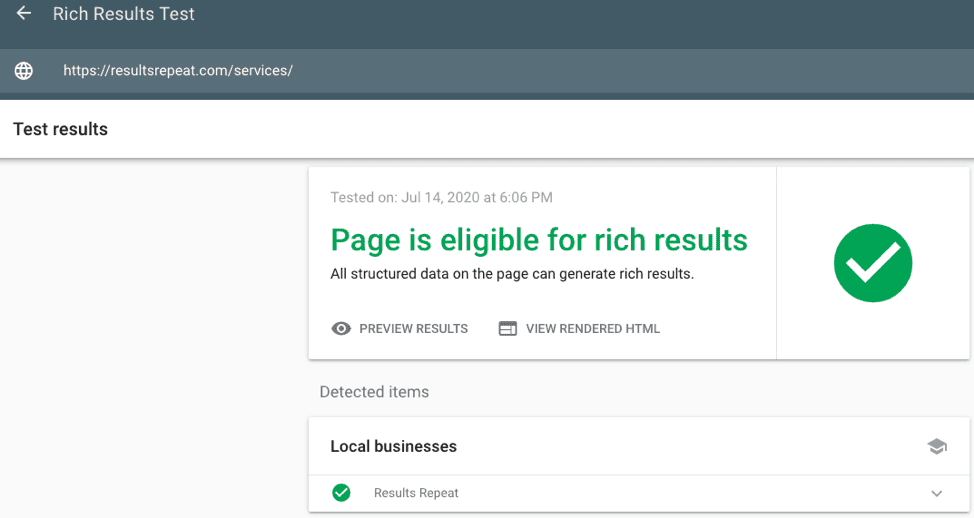
Critical clarification: this is not a generator. It is a validator. You paste a URL or code snippet and Google tells you whether the schema is eligible for rich results in its current index. Use it after every schema implementation, not before. The combination of Merkle (to generate) → Rich Results Test (to validate) is the baseline workflow for any manual implementation.
Category 2: WordPress Plugins
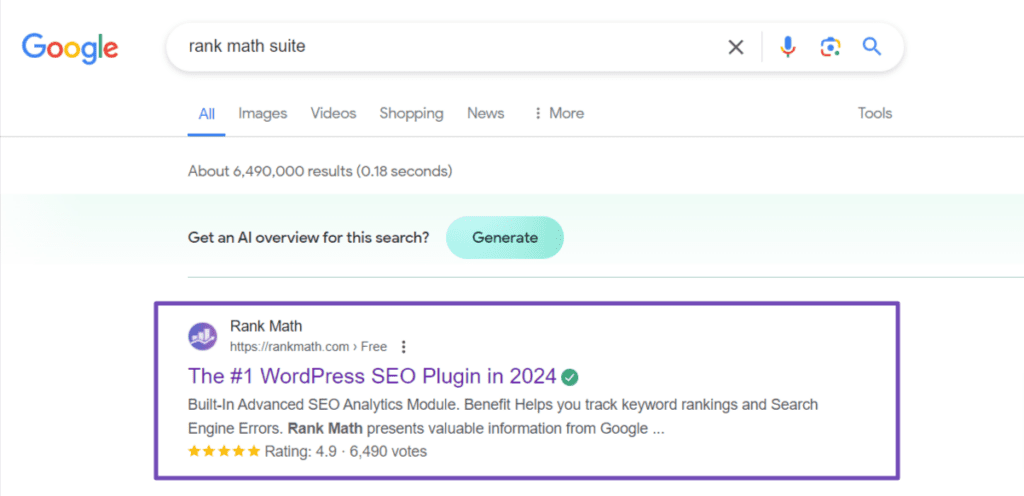
Rank Math’s schema module gives you fine-grained control over which schema type applies to which post type, with custom field mapping. The free version covers most needs. The Pro version adds Article Schema types (NewsArticle, BlogPosting), Course, Event, and a schema builder that lets you chain multiple types per page. The interface is clean, the logic is explicit, and the output is consistently valid JSON-LD.
The critical distinction versus Yoast: Rank Math gives you per-post overrides without requiring the full Schema Graph approach. If you want control, use Rank Math. If you want an automated entity graph that builds on itself, Yoast’s approach is philosophically different — and for some site architectures, more appropriate.
✓ Use when
- WordPress site, medium complexity, you want explicit schema control
- You need to assign different schema types to different post types
- You’re replacing a plugin and want clean JSON-LD output
✗ Avoid when
- You’re already invested in Yoast’s Schema Graph and it’s working
- Your site runs outside WordPress
Yoast doesn’t just add schema — it builds a connected graph of entities across the site. Your Organization entity links to your authors, which links to their posts, which links to the breadcrumb trail. This is semantically richer than isolated per-page schema blocks, and it aligns with how Google’s Gemini processes entity relationships rather than isolated facts. The trade-off is less per-page flexibility and a somewhat opaque schema output that’s harder to inspect and debug.
Category 3: Enterprise / Agency Tools
Schema App operates at a different conceptual level than form-based generators. It treats structured data as a knowledge graph problem — defining entities, their properties, and their relationships across an entire site, then maintaining those definitions as the site evolves. For enterprises managing thousands of product pages across multiple languages, or media companies with high author-byline schema requirements, this is the tool that scales. For a 200-page business site, it’s overkill at meaningful cost.
Category 4: Audit / QA Tools (Not Generators — Still Essential)
Once your schema is implemented, Screaming Frog can crawl every page and extract structured data, flag validation errors, identify missing schema on page types that should have it, and surface inconsistencies between page types. This is the workhorse for ongoing schema governance — not initial implementation. Run a schema audit with Screaming Frog before and after any significant site migration or template change.
How It Actually Works Together: The Full Workflow
Workflow A: Manual (Single Pages, No CMS Plugin)
<head> Place the <script type="application/ld+json"> block in the document head. This is the Google-recommended position. Body placement works, but head placement is more reliable across crawlers. Workflow B: Plugin-Based (WordPress at Scale)
Organization and WebSite schema. Google doesn’t always reconcile these cleanly. If you’re using Rank Math alongside Yoast, or either alongside a theme that injects its own schema, audit with Screaming Frog and disable the duplicate output from one source. The 80% Solution Stack
For the majority of content sites — not enterprise, not pure ecommerce, not local directories — this stack handles 80% of schema implementation needs with the minimum viable tooling:
This stack is not the most sophisticated. It doesn’t build a knowledge graph. It doesn’t automate entity cross-referencing. What it does is produce clean, validated, Google-compliant JSON-LD consistently — which is what most sites actually need before worrying about the advanced layer.
For sites with dominant product-driven revenue and high page counts, add Schema Pro for dedicated schema automation. For enterprise brand control, layer in Schema App. But start simple and validate before adding complexity.
What Changed After March 2026
Google’s March 2026 core update made the most significant shift in structured data strategy since rich snippets launched. If your schema guide was written before April 2026, check its FAQ and How-To recommendations against current reality.
| Schema Type | Before March 2026 | After March 2026 | Action |
|---|---|---|---|
| FAQ | Rich result for many sites | Rich result dropped ~50% across tracked sites; suppressed for supplementary content | Keep markup, don’t build strategy around it |
| How-To | Eligible for step-based rich results | Disappeared for pages where How-To is not the primary content topic | Only deploy on dedicated instruction-primary pages |
| Product | Strong rich result performance | Maintained — price, availability, reviews still fully supported | Prioritize and keep complete |
| Article / BlogPosting | Standard support | AI Mode now uses this as a trust signal beyond rich result display | Implement consistently on all editorial content |
| Organization + Person | E-E-A-T support, Knowledge Graph | Entity verification role expanded for AI Mode citations | Define once at site level, keep accurate |
| Event, Recipe, Video | Strong rich results | Maintained and performing well | High priority if these content types apply |
Limitations Nobody Tells You About
Generators produce the syntax, not the strategy
A form-based generator will produce valid JSON-LD. It will not tell you whether the schema type you chose is the right one for the page, whether all required properties are present, or whether the values you entered match what’s actually visible on the page. Generated schema that contradicts visible page content is worse than no schema — Google’s post-March 2026 signals treat content-schema misalignment as a credibility issue.
Validation tools don’t catch semantic errors
Google’s Rich Results Test confirms syntactic eligibility. It will not catch a Product schema where the price field is six months out of date, or an Article schema with an author entity that has no sameAs property linking to a verifiable identity. These semantic errors quietly reduce your schema’s value to AI systems even when the Rich Results Test shows green.
Plugin updates can silently break your schema
WordPress SEO plugin updates occasionally change how schema is generated — new property names, restructured output, deprecated types. A major plugin update in your changelog is a trigger to re-run your schema audit with Screaming Frog, not something to ignore. This has happened with both Rank Math and Yoast in the past eighteen months.
AI citation impact is real but non-linear
Independent research from OtterlyAI (tracking 319 prompts across platforms) found that schema implementation increased AI Overview visibility substantially, but had statistically minimal impact on ChatGPT and other platforms in controlled conditions. The benefit of schema for AI visibility is strongest and most consistent for Google’s own products. For third-party AI tools, content quality and topical authority remain the dominant signals. Schema is a contributing factor, not a shortcut.
FAQ
application/ld+json blocks on a single page. In practice: an article page might have Article + BreadcrumbList + Author (Person). A product page might have Product + BreadcrumbList + Review. The constraint is relevance: only add schema types that describe content actually present on that page. Adding FAQ schema to every page on the site regardless of whether there’s a genuine FAQ is the pattern the March 2026 update specifically penalized.Organization schema (does it have a logo, contact info, and social profile sameAs links?), author Person entities (do they link to LinkedIn, Twitter, or other verifiable profiles?), and any custom post types the plugin doesn’t automatically cover. Run a Screaming Frog schema crawl to see what’s actually being output across the site versus what you expect.Final Thoughts: The Uncomfortable Truth
Most schema guides implicitly promise more than structured data delivers. They frame it as a significant ranking lever. They show star ratings and click-through rate statistics without the context that getting those rich results requires qualifying content — not just qualifying markup.
Here is what the honest version looks like: schema markup is not a shortcut. It is a technical floor. Sites that implement it correctly are eligible for things that sites without it are not. That eligibility gap matters more in 2026 than it did in 2019, because the prizes have expanded: AI Overview citations, Knowledge Graph entity recognition, and generative search feature inclusion are all partially gated behind structured data.
But eligibility is not entitlement. You can implement every schema type Google documents, validate every page, and still not see a rich result — because your content doesn’t meet the relevance or quality threshold for that feature. The generator is just the starting point. The hard work is making sure the content the schema describes is actually worth citing.
If you implement schema correctly, validate it properly, and maintain it as your site evolves, you are building a technical foundation that compounds over time. Every AI system that reads your structured data to verify your entity definitions is one more system that’s more likely to cite you correctly. That is worth the effort. It just requires treating schema as an ongoing practice, not a one-time task.
Primary Sources
- Google Search Central — Introduction to Structured Data
- Tonic Worldwide — Schema Markup and Rich Snippets in 2026
- Digital Applied — Schema Markup After March 2026 Core Update
Secondary Sources
- OtterlyAI — Schema Markup’s Real Impact on AI Search (Controlled Study)
- Analyzify — Schema Markup in AI Citations Research
- GW Content — Structured Data for SEO: 2026 Guide
Related on SEOHack.info
Wikipedia Lost 435 Visibility Points. Your Authority Buffer Just Shrunk
Best Schema Markup Generators in 2026: Tested, Verified, Ranked
Best Schema Markup Generators for SEO(Free & Paid Tools)
How Schema Markup Improves Google Rankings (And Why It Actually Works)
Free Schema Markup Tools SEO Experts Use — What Top Performers Do Differently
How to Generate Schema Markup Without Coding: Best Guide!
Schema Markup Secrets That Skyrocket Click-Through Rates
How Schema Markup Gets You Rich Snippets (and More Clicks)
How to Add Schema Markup to Your Website Easily(Step-by-Step Guide)
Why Schema Markup Is a Must-Have for Modern SEO Strategies
Best JSON-LD Schema Markup Generators (2025–2026): Compared, Ranked & Reviewed
Is the Google Indexing API Free? 2026 Pricing, Quota Limits & Hidden Costs Explained
How Rich Snippets Increase Organic Traffic (With Real Examples)
How to Create Perfect Structured Data for Google
Schema Markup Mistakes That Hurt SEO Rankings — And How to Fix Every One