
Best Schema Markup Generators for SEO
(Free & Paid Tools)
Most guides give you a list. This one tells you which tool breaks under pressure, which one scales, and what schema actually does for you in an AI-first search world.
Should You Even Use a Schema Generator?
Use a Generator If…
- Your site has fewer than ~500 unique page templates
- You need JSON-LD for common types: Article, FAQ, Product, LocalBusiness, HowTo, Recipe, Event
- You don’t have a developer to hand-write schema
- You’re on WordPress and want automation
- You want to test a schema type before committing
Skip Standard Generators If…
- You run 10,000+ page templates with dynamic data
- Your product catalogue updates daily (you need API-driven schema)
- You need knowledge-graph-level entity relationships
- Your schema has to pass an enterprise compliance audit
If you fall into the enterprise camp, generators are a starting point at best. You need a platform like Schema App or a custom developer solution. For everyone else — the free and plugin-based tools covered below handle 95% of real-world use cases.
Why Schema Markup Actually Matters in 2026
The honest version: schema has always mattered for rich results (star ratings, FAQ dropdowns, breadcrumbs, event listings in SERPs). What has changed is that structured data is now also the primary language AI answer engines use to parse and classify your content — and that changes the stakes considerably.
Those statistics look compelling, but correlation is not causation. A December 2024 study cited by Search Engine Land found no statistically reliable direct link between schema coverage and AI citation rates. What the evidence actually supports: schema signals content structure and trust to both Googlebot and Gemini — it helps, but it doesn’t override content quality, authority, or relevance. Expect it to be a supporting factor, not a silver bullet.
The practical implication: schema that accurately describes your content increases citation probability in Google AI Overviews measurably. Its impact on ChatGPT and Perplexity is real but inconsistent — an independent GEO experiment from early 2026 found AI Overview citations increased substantially and consistently, while ChatGPT citations spiked then self-corrected. Don’t architect your schema strategy around ChatGPT visibility alone.
For rich results in standard SERPs — the CTR uplift case — the evidence remains solid. Pages with rich results see meaningfully higher click-through rates. That benefit hasn’t gone away even as AI features capture more SERP real estate. With zero-click searches now accounting for roughly 60% of Google queries, rich snippets are often the last line of defence for organic traffic visibility.
The Best Free Schema Markup Generators
1. Merkle Schema Markup Generator
FreeWhat it is: A browser-based, form-fill JSON-LD generator maintained by Merkle (Dentsu). You choose from 13 schema types, fill in the fields, and copy clean JSON-LD to your clipboard. No login, no account, no friction.
Best for: Developers, technical SEOs, and content teams who need a fast, reliable reference implementation for common schema types. If you’re starting out, this is the industry-standard tool to begin with.
Use Merkle if:
- You need schema for individual pages
- You want clean, validated JSON-LD output
- You’re generating markup for a client to implement
- You need Article, FAQ, Product, LocalBusiness, HowTo, or Event
Avoid Merkle if:
- You need to apply schema across hundreds of pages
- You need nested schema relationships (@graph)
- You want automation or CMS integration
2. TechnicalSEO.com Schema Generator
FreeWhat it is: Built and maintained by Max Prin (also Dentsu/Merkle), this is arguably the most widely used free schema tool among professional SEOs. It supports 9+ schema types, updates the JSON-LD output in real time as you type, and keeps a clean, no-clutter interface that’s easy to share with clients.
Key advantage over Merkle: The real-time preview makes it faster to iterate. You see the exact output updating live as you fill fields — useful when you’re not sure which properties are required vs. recommended.
Use TechnicalSEO.com if:
- You want the fastest workflow for one-off schema
- You’re using it in a client-facing workflow
- Real-time output preview matters to you
Avoid TechnicalSEO.com if:
- You need schema types beyond the 9 supported
- You need bulk or template-level generation
3. jsonld.com JSON-LD Generator
FreeWhat it is: After a significant rebuild in April 2026, jsonld.com now supports 17 schema types (up from 3), validates required fields live, and saves form state between visits — a meaningful improvement. The terminal-style design appeals to developers who want a no-frills interface.
Worth knowing: The breadth of schema types now exceeds Merkle’s 13. If you need schema types that Merkle doesn’t cover — Software Application, Course, Speakable, DefinedTerm — start here.
Use jsonld.com if:
- You need schema types beyond the usual Article/FAQ/Product trio
- You want form state saved between sessions
- Developer-friendly interface matters
Avoid jsonld.com if:
- You need CMS integration
- You need enterprise-level governance
4. Google’s Structured Data Markup Helper
FreeWhat it is: Google’s own visual tagging tool. You paste in a URL or HTML, then highlight content on the page and assign schema properties by clicking. It outputs Microdata (not JSON-LD) which is the main limitation — JSON-LD delivered in the <head> is the recommended format per Google’s current documentation.
The Markup Helper outputs Microdata inline in your HTML. For any new implementation, prefer JSON-LD. Use this tool primarily for learning what properties map to what content — not as your production workflow.
5. RankRanger Schema Markup Generator
Free (within paid platform)What it is: Part of the RankRanger enterprise SEO platform, but the schema generator is publicly accessible at no cost. It supports multiple JSON-LD types and integrates a direct “Validate” button that sends your markup straight to Google’s Rich Results Test. Convenient for agencies that already use RankRanger elsewhere in their stack.
Use RankRanger’s generator if:
- You’re an agency already in the RankRanger ecosystem
- One-click validation workflow matters
Avoid if:
- You don’t use RankRanger — the standalone tools above are cleaner
The Best Paid & Plugin-Based Schema Tools
6. Rank Math (WordPress Plugin)
Free + Pro from ~$6.99/moWhat it is: A full-suite WordPress SEO plugin with a deeply integrated schema builder. Rank Math automatically applies schema across post types and allows you to build custom schema templates — a significant advantage for sites with many post types (news, reviews, products, FAQs, recipes) that need consistent schema without manual intervention.
Why it leads for control: Unlike Yoast, Rank Math lets you build entirely custom schema patterns, nest them, and apply conditional logic (e.g., add HowTo schema only to posts in a specific category). It supports 20+ schema types in the free version.
Use Rank Math if:
- You’re on WordPress and want automation at scale
- You need schema templates across multiple post types
- You want schema plus full SEO management in one plugin
- You need conditional schema logic
Avoid Rank Math if:
- You’re not on WordPress
- You want minimal plugin dependencies (it’s a large plugin)
- You prioritize Yoast’s connected entity graph approach
7. Yoast SEO (WordPress Plugin)
Free + Premium from ~$99/yrWhat it is: The most-installed WordPress SEO plugin. Yoast takes a schema graph approach — it creates a connected graph of entities (Organization, WebSite, WebPage, Article, BreadcrumbList) that are interlinked via @id references. This entity-graph structure is considered better aligned with how Google’s Knowledge Graph processes entity relationships.
The honest trade-off: Yoast is less flexible than Rank Math for custom schema types, but its defaults are more stable and its entity relationships are more carefully designed. For sites where editorial content is the primary asset and you want schema to be mostly automatic with sensible defaults, Yoast is the lower-maintenance choice.
Use Yoast if:
- You want stable, opinionated defaults with less tinkering
- Connected entity graph output (Organization + WebPage + Article) matters
- You have a predominantly article/editorial content site
Avoid Yoast if:
- You need advanced custom schema types beyond Yoast’s supported set
- You want granular control over individual schema properties
8. All in One SEO (AIOSEO)
From ~$49/yrWhat it is: The third major WordPress SEO plugin, AIOSEO includes a Schema Generator that integrates directly into the content editor. The key differentiator: it includes an integrated schema validator alongside the generator — you can spot errors without leaving WordPress. It also handles merchant return policy and shipping details for Product schema, which became a Google requirement in 2024 and is frequently overlooked by other tools.
Use AIOSEO if:
- You run an ecommerce site on WordPress needing complete Product schema
- You want inline schema validation without leaving the CMS
- You’re migrating from Yoast and need a full transition
Avoid AIOSEO if:
- You’re already happy with Rank Math or Yoast — don’t run multiple schema plugins
9. Schema App
Paid — contact for enterprise pricingWhat it is: The enterprise-grade platform for structured data governance and knowledge-graph-level schema management. Schema App treats structured data as an organized, connected graph — not one-off JSON-LD blobs — and provides deployment governance, schema drift monitoring, and multi-template management that nothing else on this list matches.
When Schema App becomes the right call: When you’re managing many templates, multiple teams touch pages simultaneously, and schema errors start appearing in production that free generators have no mechanism to prevent. The governance layer is what you’re paying for, not the JSON-LD generation itself.
Use Schema App if:
- Enterprise site with complex schema governance needs
- Multiple teams touch your templates
- You need knowledge-graph-level entity management
- Schema drift and audit trails matter
Avoid Schema App if:
- You’re a small-medium site — the cost/complexity is disproportionate
- A WordPress plugin covers your use case
10. Screaming Frog SEO Spider (Validation & QA)
Free (500 URLs) + £259/yrWhat it is: Not a generator — Screaming Frog is the standard tool for crawling and auditing schema across an entire site. It extracts all structured data from every crawled page, identifies missing or broken schema, and surfaces errors at scale. If you use any generator or plugin but never audit the output site-wide, you’re operating blind. Schema breaks over time as content changes.
Any schema workflow that doesn’t include a crawl-level audit step is incomplete. Screaming Frog is the standard tool for this. Run it after any major site migration, template change, or CMS plugin update.
Full Comparison Table
| Tool | Type | Cost | Schema Types | CMS Integration | Validation | Scale |
|---|---|---|---|---|---|---|
| Merkle | Online generator | Free | 13 | ✗ | External link | Single page |
| TechnicalSEO.com | Online generator | Free | 9+ | ✗ | External link | Single page |
| jsonld.com | Online generator | Free | 17 | ✗ | Live field validation | Single page |
| Google SDMH | Visual tagger | Free | 8 | ✗ | Built-in | Single page |
| RankRanger | Online generator | Free | 10+ | ✗ | 1-click Google RRT | Single page |
| Rank Math | WordPress plugin | Free / ~$6.99/mo | 20+ | ✓ WordPress | Built-in | Site-wide |
| Yoast SEO | WordPress plugin | Free / ~$99/yr | 15+ | ✓ WordPress | Built-in | Site-wide |
| AIOSEO | WordPress plugin | From ~$49/yr | 20+ | ✓ WordPress | Inline | Site-wide |
| Schema App | SaaS platform | Enterprise | All Schema.org | ✓ Multiple | Full governance | Enterprise |
| Screaming Frog | Crawler / auditor | Free / £259/yr | N/A (audit) | ✓ Any CMS | Site-wide crawl | Enterprise |
Pricing last checked: May 2026. Ranges apply. Verify current pricing on each vendor’s site.
How This Actually Works Together
Here’s how a sound schema workflow actually flows — from generation to monitoring. The integration type determines whether you’ll catch errors before or after they hurt your rich results.
Choose Schema Type
Identify which schema types are relevant for each page template. For most sites: Article/BlogPosting for content, LocalBusiness for location pages, Product for ecommerce, FAQPage for support content. Don’t apply every type everywhere — mismatched schema creates trust problems.
Generate JSON-LD
For individual pages: use Merkle or TechnicalSEO.com. For site-wide on WordPress: configure Rank Math or Yoast templates. For enterprise: Schema App. Output must be JSON-LD delivered in the <head> — not Microdata, not RDFa, unless your CMS makes JSON-LD genuinely impractical.
Validate Immediately
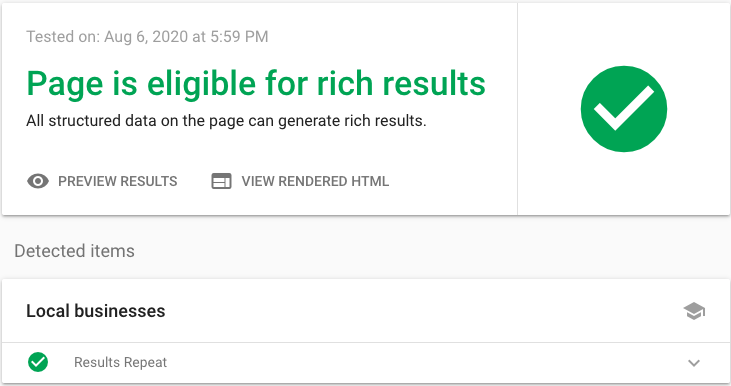
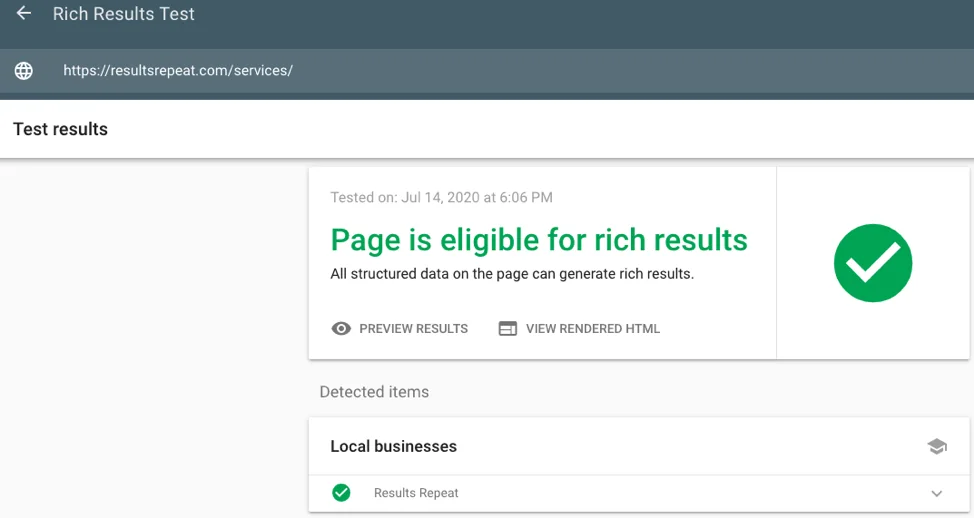
Run every new schema block through Google’s Rich Results Test (for rich result eligibility) AND Schema.org’s Schema Markup Validator (for standards compliance). These two tools check different things. One passing does not guarantee the other passes.
Deploy & Monitor in Search Console
After deployment, Google Search Console’s Enhancements reports show which pages earned rich results and which have errors. Set a monthly calendar reminder to review this — it’s where schema drift surfaces first.
Site-Wide Audit on Major Changes
After any CMS update, template change, plugin update, or site migration: run a Screaming Frog crawl with structured data extraction enabled. Schema breaks silently. A plugin update or template change can invalidate hundreds of pages’ schema with no obvious visible symptom.
Keep Schema Current
Prices, dates, ratings, and stock status in Product schema must match what’s on the page. Stale schema is worse than no schema — Google may demote or ignore markup that conflicts with on-page content. WordPress plugins (Rank Math, Yoast) handle dynamic fields automatically. Manual implementations do not.
Integration types, bluntly:
Native (Rank Math, Yoast, AIOSEO): schema updates automatically when content changes. Best for most WordPress sites.
Semi-automated (Schema App with CMS connector): schema governed centrally, deployed at template level. Best for enterprise.
Manual (Merkle, TechnicalSEO.com outputs): you paste code once; it never updates. You are responsible for maintenance. Fine for static pages, fragile for dynamic content.
The biggest operational failure mode isn’t bad schema generation — it’s schema that was correct at launch and is now wrong because prices changed, events passed, or FAQ content was rewritten. Manual implementations that haven’t been touched in 12+ months should be treated as suspect until audited.
The 80% Solution Stack
For the majority of sites — WordPress-based, 100 to 50,000 pages, no dedicated schema engineering team — this stack covers 80% of what you need without overengineering it.
Total cost for this stack: essentially £0 except for your time. The paid tier of Screaming Frog (£259/yr) only becomes necessary when you hit more than 500 pages and need regular crawls. The Rank Math Pro upgrade (~$6.99/month) is worth it if you need advanced schema templates, but the free version handles the most common schema types without restriction.
Limitations & What Schema Cannot Do
Let’s be precise about what schema actually does and doesn’t do in 2026:
Schema cannot override content quality. If your underlying page is thin, poorly sourced, or factually shaky, no amount of structured data will rescue it. Schema tells machines what your content is. It doesn’t tell machines that your content is good.
FAQ schema no longer generates rich results for most sites. Google restricted FAQ rich results to government and health sites in 2023. If you’re adding FAQPage schema expecting accordion dropdowns in Google’s standard results, you’re wasting implementation time on that specific benefit — though the schema still contributes to entity clarity for AI systems.
Google deprecated PracticeProblem structured data in January 2026. If you have any education-focused schema implementations, audit for deprecated types. Outdated schema types can trigger Search Console warnings.
AI citation is correlation, not causation. The relationship between schema coverage and AI Overview citation rates is supported by observational data but has not been causally established in controlled experiments. One rigorous GEO experiment (Otterly.ai, 2026) found substantial increases in Google AI Overviews citations after schema implementation — but no isolated connection to ChatGPT, Gemini, or Perplexity citations.
Schema without E-E-A-T signals is incomplete. Schema can describe your author as a medical professional. It can’t prove they are one. E-E-A-T signals — author bios, external citations, editorial standards, consistent factual accuracy — work alongside schema. One without the other leaves trust gaps that both Google and AI systems can detect.
Speakable schema and DefinedTerm schema are gaining relevance specifically for AI Mode citation strategies. If your site produces definition-heavy or FAQ-driven content, these are worth implementing and monitoring. ClaimReview schema is increasingly treated as a high-trust signal by AI Mode for fact-checking and research content.
FAQ
@graph array, rather than multiple separate <script> tags — though multiple separate blocks are also technically supported by Google.Final Thoughts
Schema markup generators are tools that remove friction from a process you should already be doing. The choice between them matters far less than the discipline of the workflow around them: generate cleanly, validate immediately, monitor continuously, audit when things change.
For most sites, the free tools and WordPress plugins covered here are genuinely sufficient. The temptation to jump to enterprise platforms before you’ve mastered the basics is real — and a reliable way to spend money on governance infrastructure for a schema implementation that was never validated properly to begin with.
On the AI visibility question: schema is worth doing for this reason, but approach the narrative with calibrated expectations. The evidence points clearly to Google AI Overviews benefiting from structured data. The story for other platforms is more complicated. If someone tells you schema is the key to dominating AI-generated answers across all platforms in 2026, they’re selling you a simpler story than the data supports.
The real constraint on schema ROI is rarely which generator you chose — it’s that most implementations are validated once, never audited again, and silently break when the site changes. A mediocre generator used with a rigorous validation and monitoring workflow outperforms the best enterprise platform used carelessly. The tool isn’t the problem. The absence of process is.
Primary Sources
- Stackmatix (2026) — Structured Data AI Search Performance — stackmatix.com
- Alhena AI (March 2026) — Schema Markup for AI Search: Ecommerce Guide — alhena.ai
- Otterly.ai (March 2026) — GEO Experiment: Does Schema Markup Really Impact AI Search? — otterly.ai
Secondary Sources
- Digital Applied (May 2026) — Structured Data After I/O 2026: Schema Cheat Sheet — digitalapplied.com
- The Rank Masters (Feb 2026) — Best Schema Markup Tools (Generators + Validators) 2026 — therankmasters.com
- WP SEO AI (May 2026) — What is the Best Schema Markup Generator? — wpseoai.com
Free Schema Markup Tools SEO Experts Use — What Top Performers Do Differently
Best Schema Markup Generators in 2026: Tested, Verified, Ranked
Best JSON-LD Schema Markup Generators (2025–2026): Compared, Ranked & Reviewed
Best AI-Powered Schema Markup Generators (Ranked & Reviewed 2026)
Is the Google Indexing API Free? 2026 Pricing, Quota Limits & Hidden Costs Explained
Schema Markup Generators: The Complete Guide to AI-Ready Structured Data
How to Generate Schema Markup Without Coding: Best Guide!