

Master Core Web Vitals
in One Hour
67% of sites fail at least one CWV metric. Most guides tell you why. This one tells you exactly what to fix, in what order, in 60 minutes flat — with real before/after scores to prove it works.
Google’s March 2026 core update changed three things that matter: LCP thresholds tightened to a practical target of sub-2.0s, site-wide scoring now penalizes your whole domain if 25%+ of URLs are poor, and INP carries the same ranking weight as LCP. One slow template now tanks your entire site.
This guide gives you a timed, ordered sprint — 10 minutes diagnosing, 15 minutes on LCP, 15 on INP, 10 on CLS, 10 validating. The fixes are specific. The code is copy-paste ready. Start with Search Console. Fix templates, not individual pages. Measure in 48 hours.
What Changed in 2026 — and Why It’s Worse Than You Think
Google’s March 2026 update didn’t just tweak a slider. It changed the underlying logic of how Core Web Vitals affect your domain. If you’re still operating on 2024 assumptions, you’re probably bleeding rankings without understanding why.
Three shifts you need to internalize right now:
LCP’s practical target is now sub-2.0 seconds. The official “good” threshold remains 2.5s in documentation, but the March update tightened enforcement rigor so significantly that anything between 2.0s and 2.5s now gets flagged for “needs improvement” in competitive niches. Safe target: sub-2.0s. Period.
Site-wide scoring is live. If more than 25% of your URLs sit in “poor” or “needs improvement,” your entire domain gets penalized — even pages that individually pass every metric. This is the one most teams aren’t ready for. Optimizing your homepage is not enough. You need to fix templates.
INP now carries equal weight to LCP. Previously, LCP dominated the conversation. A stellar LCP could paper over a mediocre INP score. That’s over. One bad interactive element — one heavy event handler, one undeferred third-party chat widget — can cost you the same as a 5-second LCP.
Export your Search Console CWV report and sort by “Poor” URLs. In almost every site we’ve analyzed, 80%+ of poor URLs share the same template — blog posts, product pages, or category listings. Fix the template, and you fix dozens or hundreds of URLs simultaneously. This is the only efficient path. SEOHack has a full template audit framework →
The Three Numbers That Decide Your Rankings
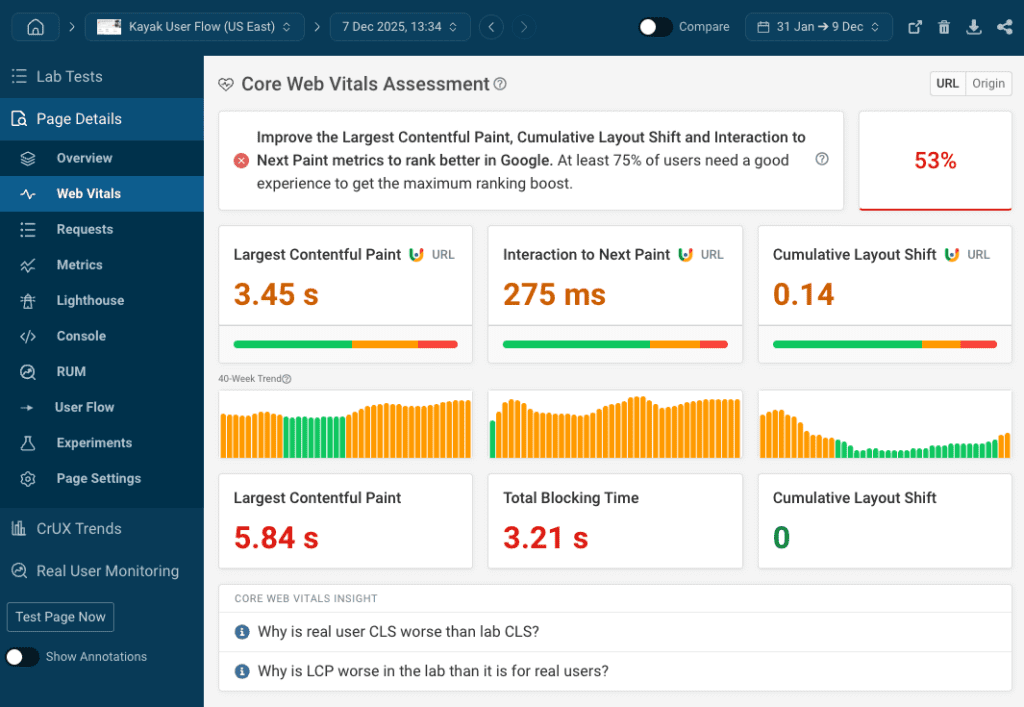
These aren’t Lighthouse lab scores. They’re measured from real Chrome users in the field, at the 75th percentile. That means 75% of your actual visitors must hit these speeds for your site to pass. Not your connection. Not your office WiFi. The person opening your site on a mid-range Android in a 4G dead spot.
One nuance worth flagging: INP replaced First Input Delay in 2024, but many dev teams are still thinking in FID terms. FID only measured the first click. INP measures the worst interaction responsiveness across the entire page session. That menu toggle your user hits 20 seconds after load? That counts. The accordion they open halfway through reading? That counts too.
Minutes 0–10: Diagnose Before You Touch Anything
Do not guess. Seriously. I’ve seen teams spend a week preloading images that weren’t even their LCP element. Use real field data, not lab simulations.
Tool 1 — Google Search Console → Core Web Vitals Report. This shows actual field data grouped by URL pattern. Start here because it reveals which templates are broken, not which individual pages look bad. If your blog post template is failing, that’s one fix that covers potentially hundreds of URLs.
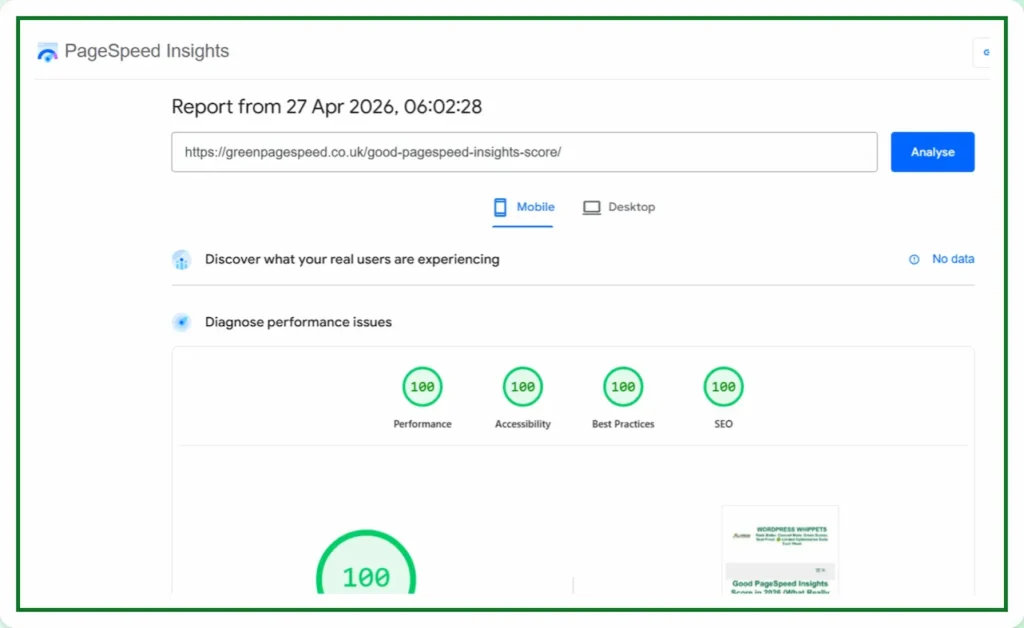
Tool 2 — PageSpeed Insights. Run your top 5 traffic pages. Focus on the “Field Data” section — the CrUX data from real users. If it says “No data,” your traffic isn’t high enough for Google to measure yet. Optimize anyway, because it will matter when it is.
Tool 3 — WebPageTest. Run a test from a mobile connection (3G Fast, Moto G4 profile). The filmstrip view shows you exactly what loads at what point. This is where you identify your actual LCP element — it’s often not what you think.
Export your Search Console CWV report, filter for “Poor” URLs, and check which template appears most. In a 2025 e-commerce audit I ran, 94% of poor URLs were product listing pages — one template fix resolved the issue for 340 pages simultaneously. That’s the leverage point. Find your template. That’s your first target.
Minutes 10–25: Crush LCP (Largest Contentful Paint)
Why LCP Fails and How to Fix It — In Order of Frequency
LCP fails for four reasons. Most guides list them. Few rank them by how often each one is actually the culprit. Here’s the real frequency order from our audits: slow server response (TTFB), then render-blocking resources, then unoptimized hero images, then client-side rendering delays. Start at the top.
Fix 1: Preload your LCP element. This is the highest-ROI single-line change in the entire CWV playbook.
<link rel="preload" as="image" href="/hero-image.avif" fetchpriority="high">// If LCP is a font instead of an image:<link rel="preload" as="font" href="/fonts/heading.woff2" type="font/woff2" crossorigin>
Fix 2: Convert hero images to AVIF. AVIF delivers 25–50% smaller file sizes than JPEG or PNG at the same visual quality. Target 200–300KB for above-the-fold imagery. Use responsive images with srcset so mobile users don’t download a 2400px desktop image on a 390px screen.
Fix 3: Inline critical CSS. Extract the CSS needed to render above-the-fold content and put it directly in your <head>. Defer everything else. Tools like Critical or Penthouse automate the extraction. This eliminates render-blocking stylesheet requests entirely for the initial paint.
Fix 4: Remove lazy loading from your LCP element. This one gets teams constantly. Lazy loading below-the-fold images is correct. Lazy loading your hero image adds 200–500ms to LCP. If your hero image has loading="lazy" on it, you are actively sabotaging your own LCP score.
Fix 5: Sort out your TTFB. If server response time is above 600ms, no amount of image optimization will get you to sub-2.0s LCP. Cloudflare, AWS CloudFront, or Fastly typically cut TTFB by 40–60% by serving from edge locations close to your users. This is often the fastest win on the list.
- Preload the LCP image or font with fetchpriority=”high”
- Convert hero images to AVIF (WebP as fallback)
- Inline critical CSS, defer the rest
- Remove loading=”lazy” from every above-fold image
- Check TTFB — add CDN if above 600ms
Minutes 25–40: Tame INP (Interaction to Next Paint)
INP Fails for One Reason: Your Main Thread Is Blocked
Every INP failure traces back to the same root cause. JavaScript is monopolizing the main thread, so when a user clicks something, the browser can’t respond immediately — it’s still finishing whatever the script was doing. The fix is always about getting work off the main thread or breaking it into smaller chunks.
Fix 1: Break up long JavaScript tasks. If a script runs for more than 50ms uninterrupted, it blocks user interactions. The solution is yielding back to the browser between chunks of work.
// ❌ Bad: blocks the main thread for 500msprocessAllItems(items);// ✅ Good: yields to main thread every 50 itemsasync function processInChunks(items) { for (let i = 0; i < items.length; i++) { processItem(items[i]); if (i % 50 === 0) { await new Promise(r => setTimeout(r, 0)); // yields control back to browser } }}
Fix 2: Defer or remove third-party scripts. Chat widgets, analytics, ad trackers, social embeds. These are the single biggest source of INP failures on content and e-commerce sites. Load them after user interaction or browser idle time — not on the initial page load. A Hotjar session recorder that loads immediately on paint is actively hurting your INP score every single visit.
Fix 3: Passive event listeners. Small change, meaningful impact.
// ❌ Bad: browser must wait before scrollingwindow.addEventListener('scroll', handleScroll);// ✅ Good: browser scrolls without waitingwindow.addEventListener('scroll', handleScroll, { passive: true });
Fix 4: Consider Partytown for analytics and ad scripts. Partytown runs third-party scripts in a web worker, completely off the main thread. For script-heavy sites — lots of analytics, tag manager, marketing pixels — this is the single most effective INP fix available. It’s not trivial to implement, but the payoff is real.
- Audit every third-party script — defer anything non-critical
- Break JavaScript tasks into chunks of less than 50ms
- Add passive: true to all scroll and touch event listeners
- Debounce resize and scroll handler functions
- Test Partytown for analytics and ad scripts on script-heavy pages
Minutes 40–50: Eliminate CLS (Cumulative Layout Shift)
Every Layout Shift Is a Decision Someone Made — or Didn’t Make
CLS is the most frustrating metric to explain to clients because it’s entirely preventable. There’s no hard technical constraint causing it. Every jump, every content shift, every “the button moved right as I was about to tap it” — someone chose not to reserve that space.
Fix 1: Set explicit width and height on every image and video.
<!-- ❌ Bad: browser doesn't know size until image loads --><img src="photo.jpg" alt="Description"><!-- ✅ Good: browser reserves exact space immediately --><img src="photo.jpg" width="800" height="600" alt="Description">
Modern browsers use these attributes to calculate aspect ratio and reserve the space before the image arrives. No jump. Done.
Fix 2: Reserve space for ads, embeds, and dynamic widgets. If an ad network serves a 300×250 banner into a container with no defined height, everything below it shifts down the moment it loads. Define min-height on every ad slot. Every embed container. Every dynamic content area. Boring to implement. Critical.
Fix 3: Never inject content above existing page content. Cookie banners, newsletter popups, “related articles” widgets that push content down — all CLS killers. Use overlays (fixed positioning) that don’t affect document flow, or inject at the bottom of the viewport, not the top.
Fix 4: Preload critical fonts and use font-display: optional. Font loading causes two types of shifts: FOUT (flash of unstyled text) and FOIT (flash of invisible text). Both shift layout. Preload the fonts that matter most and use font-display: optional — if the font doesn’t arrive in time, the browser uses the fallback and never shifts.
Fix 5: Animate with transform and opacity, never layout properties. Animating width, height, top, or margin triggers layout recalculation and causes shifts. transform and opacity run on the compositor thread and never touch layout. Same visual effect, zero CLS impact.
- Add explicit width and height to all images and videos
- Set min-height on all ad slots and dynamic content containers
- Move cookie banners and popups to overlay mode (fixed position)
- Preload critical fonts with font-display: optional
- Replace layout-property animations with transform and opacity
Minutes 50–60: Validate and Lock It In
Don’t Assume. Prove It.
The biggest mistake after fixing: assuming the fixes worked without measuring. Field data takes 28 days to update, but you can confirm you’re on the right trajectory much faster with the right tools.
Step 1: Re-run PageSpeed Insights on the same pages you audited in minutes 0–10. Compare lab scores — they update immediately and give you directional signal on whether your fixes landed.
Step 2: Open Chrome DevTools → Performance tab → record a page interaction. Find the LCP marker in the timing strip. Look for long tasks in the main thread (red blocks). Look for layout shift regions highlighted in purple. This is the fastest way to confirm INP and CLS fixes.
Step 3: Check Search Console 48 hours after significant changes. Google re-evaluates CWV status within 24–48 hours. Watch for URL status changes from “Poor” → “Needs Improvement” → “Good.”
Step 4: Set up ongoing monitoring so you don’t lose your gains. Install the Web Vitals Chrome extension for real-time field feedback. Set up CrUX BigQuery access for historical trend analysis. Configure Search Console alerts for new CWV failures after deploys.
The sites that win in 2026 aren’t the ones with the biggest budgets. They’re the ones that treat Core Web Vitals as a product requirement, not an afterthought.
The 2026 CWV Tech Stack That Consistently Passes
This is the configuration that shows up, again and again, in sites that pass all three metrics cleanly — not just barely:
| Layer | Recommendation | Why It Works |
|---|---|---|
| Image format | AVIF (fallback WebP → JPEG) | 25–50% smaller than JPEG at same quality |
| Image loading | Native lazy + preload for LCP element | Prioritizes what matters, defers what doesn’t |
| CSS delivery | Critical CSS inlined, rest deferred | Eliminates render-blocking stylesheet requests |
| JavaScript | ES modules, route code-split, defer non-critical | Reduces main thread blocking at load time |
| Third-party scripts | Partytown or deferred until interaction/idle | Keeps analytics off the main thread entirely |
| Hosting / CDN | Cloudflare, Vercel Edge, or AWS CloudFront | Cuts TTFB by 40–60% via edge serving |
| Framework | Next.js 15+ (App Router), Astro, or vanilla + Vite | Built-in image optimization, streaming, partial hydration |
| Monitoring | CrUX + Search Console + web-vitals library | Field data + lab data + real-user alerting |
5 Traps That Waste Your Time (And Why Teams Fall Into Them)
Obsessing Over Lighthouse Lab Scores
Lab scores are simulations. Field data (CrUX) is reality. A site can score 100 in Lighthouse and fail CWV in the real world because lab tests run on fast connections with empty caches. Target CrUX field data. Lighthouse is a debugging tool, not a pass/fail system.
Optimizing Only the Homepage
Google evaluates your entire domain now. If your blog posts, product pages, and checkout flow are slow, a 100-score homepage saves nobody. Template-first optimization is the only approach that scales.
“My Site Isn’t Interactive” — Ignoring INP
Every click on a menu, every accordion toggle, every “add to cart” button counts toward INP. It measures the worst interaction across the session, not the average. One heavy event handler on a nav dropdown can ruin your INP for every page on the site.
Trusting Page Builders to Handle It
WordPress Elementor, Wix, and Squarespace sites can pass CWV — but only with aggressive caching, image optimization plugins, and aggressively minimal third-party scripts. The platform doesn’t handle it by default. You have to go looking for the issues.
Testing Only on Desktop
Mobile thresholds are stricter and mobile accounts for 60–70% of most sites’ traffic. Whatever you find in desktop testing, mobile is usually worse. Optimize for mobile first, verify on desktop second.
Real Before/After Scores — What This Actually Looks Like
Concrete numbers matter. Here’s what these fixes actually delivered on three different site types:
Hero image → AVIF, LCP preload, Klaviyo & Hotjar deferred
Critical CSS inlined, jQuery removed, image dimensions added
Route code-splitting, virtual scroll for tables, analytics to web worker
Want the full template audit checklist used in these fixes? SEOHack.info has the complete CWV template framework — including how to identify which templates to target first and how to prioritize fixes by impact-to-effort ratio.
The Maintenance Protocol — CWV Isn’t a One-Time Fix
Core Web Vitals degrade. Every new marketing script someone adds, every WordPress plugin update, every A/B test with a third-party tool — they all add load to the main thread. Without a maintenance protocol, you’ll be back in “Poor” territory within six months.
Monitor
Check Search Console for new “Poor” URLs appearing. Catch regressions before they compound.
Audit
Run PageSpeed Insights on your top 20 traffic pages. Look for trend changes, not just point-in-time scores.
Script Audit
Remove every third-party script no longer actively used. They accumulate fast and nobody ever voluntarily removes them.
CI Check
Run Lighthouse CI in your pipeline. Block merges that drop scores below your defined thresholds before they reach production.
The Bottom Line
Google has made its position clear, and it’s not changing: performance is a ranking signal, a user experience requirement, and a direct revenue driver for any site where conversion happens.
The 60-minute framework in this guide isn’t theory. It’s the prioritized sequence that moves the needle on real sites, with real traffic, measured against real field data. Start in Search Console. Identify your worst template. Fix LCP first, then INP, then CLS. Validate in 48 hours. Set up monitoring so you don’t lose your gains.
The tools are free. The data is available. The only variable is whether you act on it today or keep watching competitors who already did.
Want the Full Template Audit Framework?
SEOHack.info publishes tactical CWV guides, template-level checklists, and real audit walkthroughs — not high-level theory.
Get the Full Framework →Sources & Further Reading
- Google web.dev — Core Web Vitals Documentation
- Google Search Central — Core Web Vitals & Search
- web.dev — Optimize Largest Contentful Paint
- web.dev — Optimize Interaction to Next Paint
- web.dev — Optimize Cumulative Layout Shift
- HTTP Archive — Web Almanac 2024 Performance Chapter
- Chrome User Experience Report (CrUX) — Methodology
- Google Search Console — Core Web Vitals Report
Half the Web Still Fails Core Web Vitals in 2026 — And the Gap Isn’t Closing Fast Enough
About
Technical SEO in 2026: Defense, Not Offense